
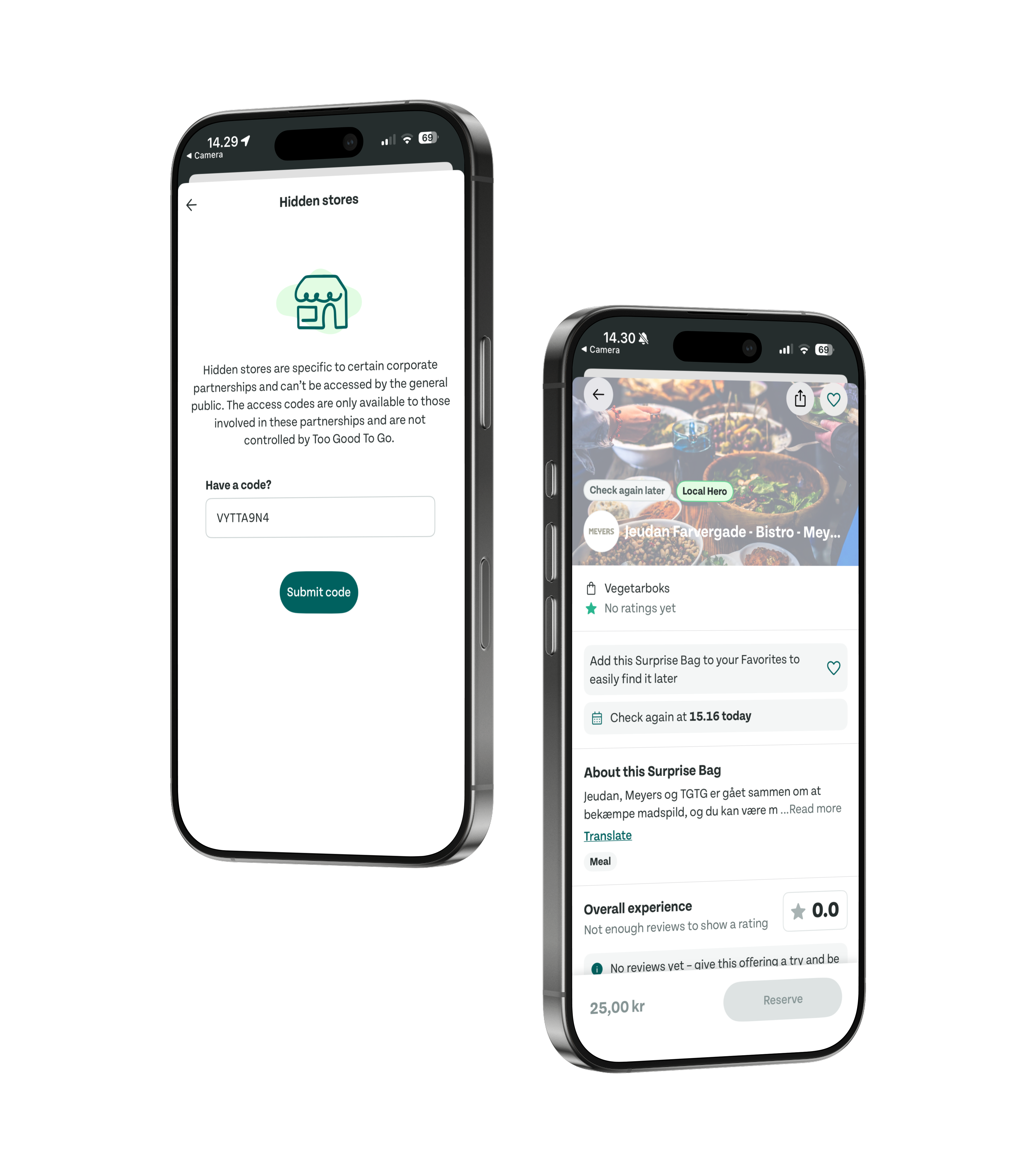
Problem
TGTG's model is built on open discovery. You open the app, see what's nearby, and buy. That simplicity is the product. Corporate canteens broke that model.
A company with an internal lunch kitchen produces surplus food daily - but can't list it publicly, since the bags are employees-only. Sales kept fielding requests from companies that wanted in but had no way to participate without exposing their canteen to anyone with the app.
The challenge wasn't adding a feature. It was a private access layer that worked seamlessly for employees, was simple enough for canteen managers to own, and didn't surface a confusing concept to the millions who'd never need it.
The challenge: a private access layer that doesn't complicate the experience for the millions of users who'd never need it.
My Role
Sole designer and product manager - no other designers. Discovery came through sales: I interviewed reps and team leads across three markets who fielded requests from canteens wanting to join but unable to go public. From there I owned the full design process - solution exploration, both the consumer unlock flow and the partner setup experience in the web app, engineering handoff, and testing what the team built.
Decisions
A printed poster, not an admin invite system
The constraints shaped the solution before any design:
- Employee side: near-zero friction to get in
- Canteen side: self-serve setup - canteens asked for it (they already managed inventory in the partner web app), and a stretched, high-touch sales/ops org couldn't absorb a feature needing TGTG involvement after onboarding
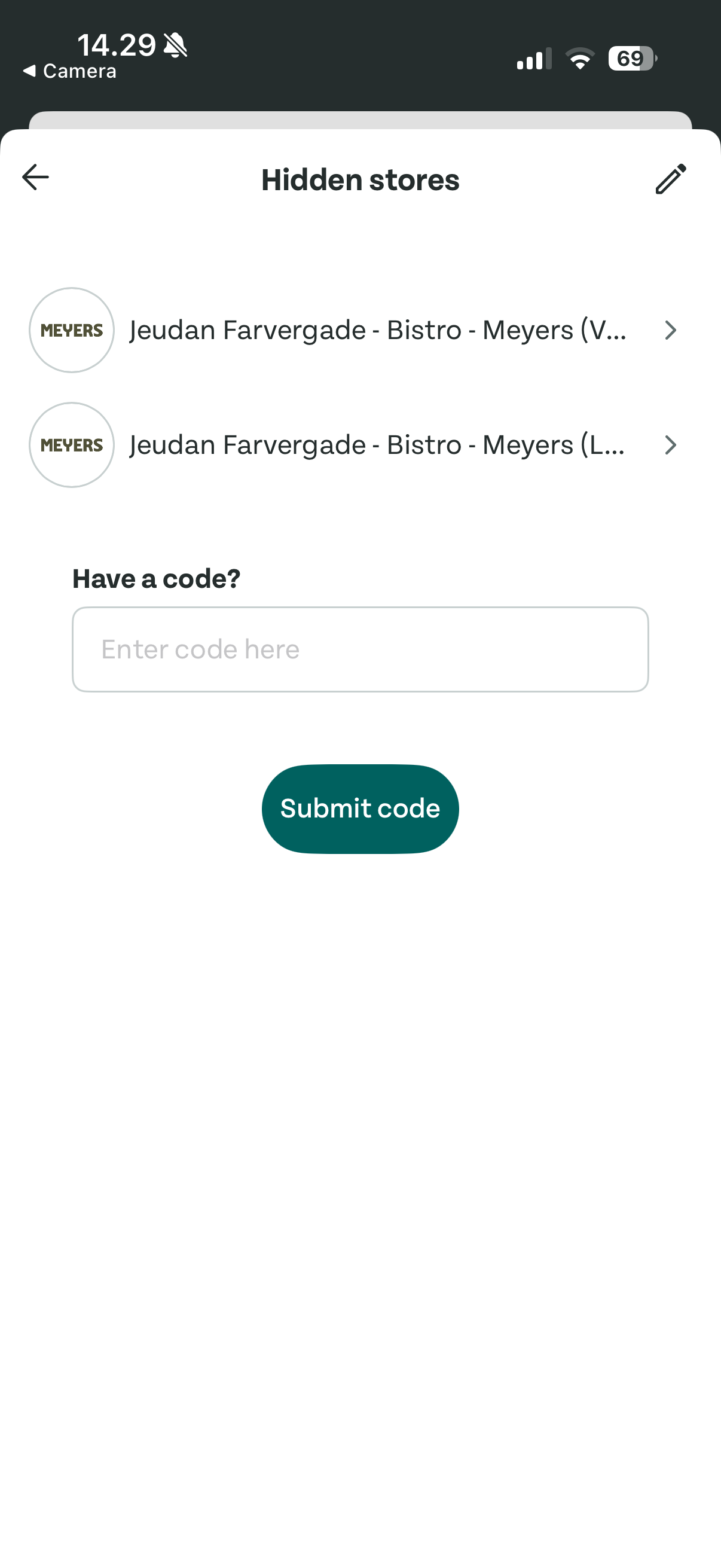
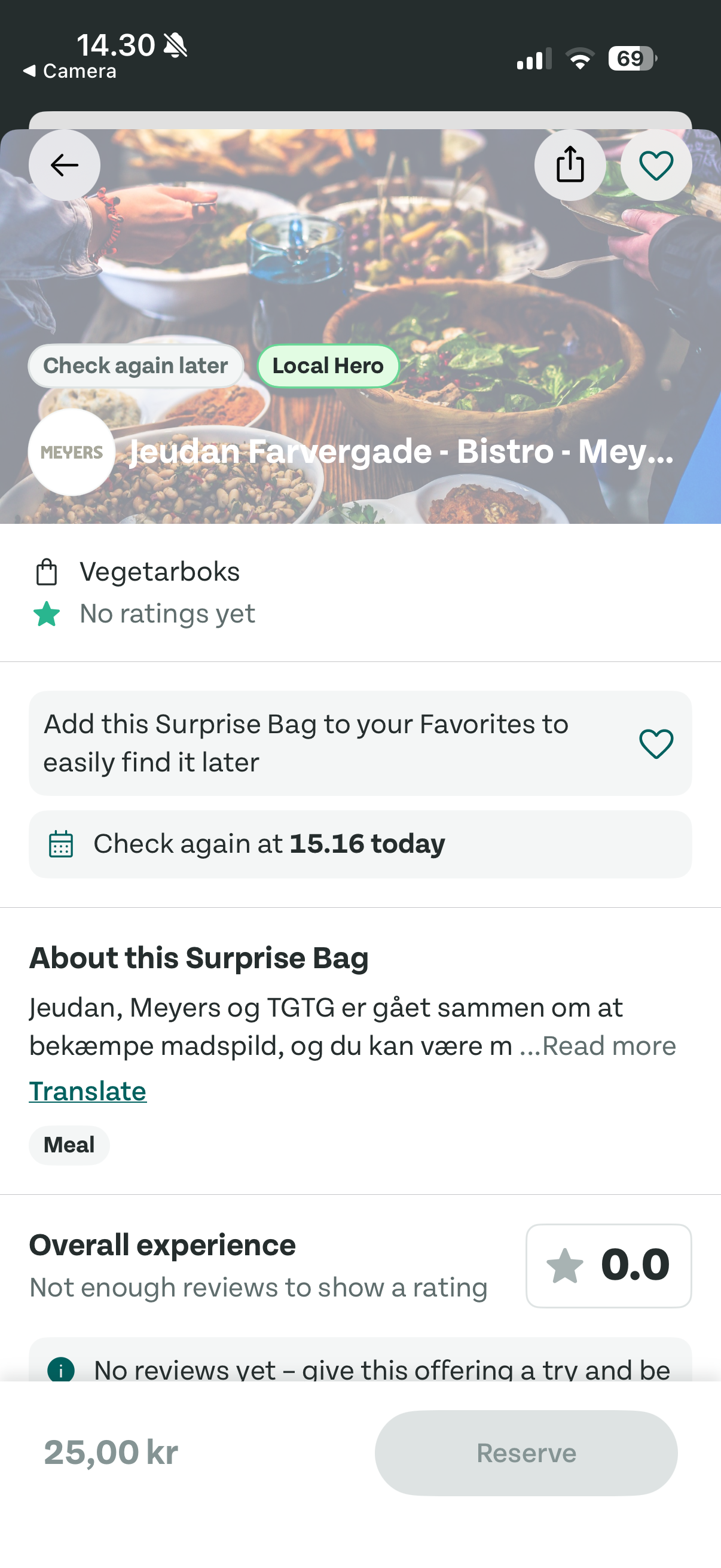
The instinct for "employees only" is an account model - work email, employer verification, HR sync. We didn't build that. Distribution went entirely to the partner: canteen managers set an access code in the web app, generate a branded poster with a unique QR, and hang it. The QR deep-links into the app and auto-unlocks - or sends first-timers to the App Store. The canteen itself is the verification: if you see the poster, you work there. It was also trivial to build - a QR deep-link, a code, a poster template - so engineering had almost nothing to push back on.
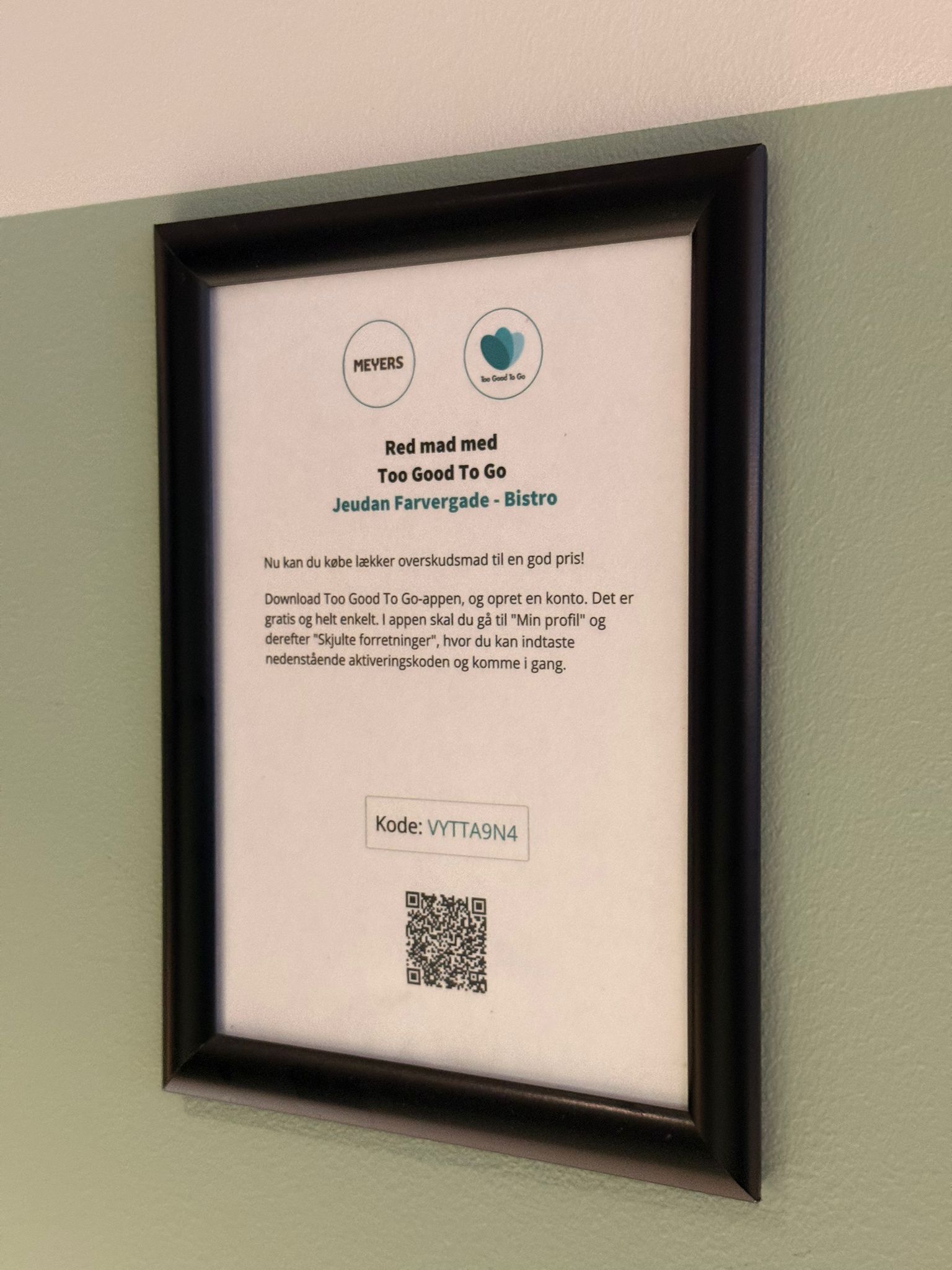
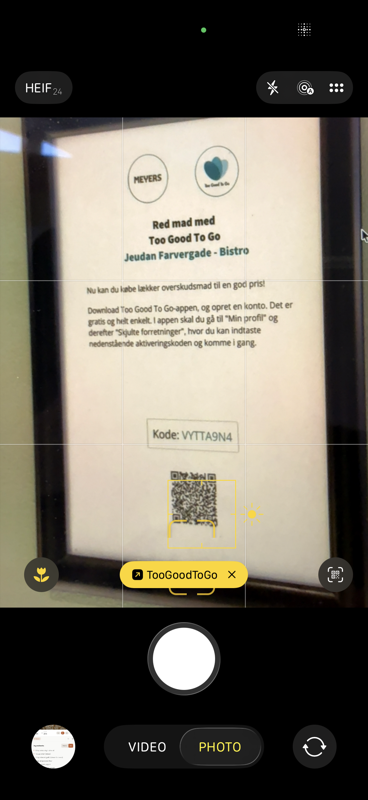
iOS camera recognizes the QR as a TGTG deep-link and surfaces the app banner directly.
A visible entry point in the app, not QR-only
- We added Hidden Stores to the More menu, not QR-only - an employee who heard about it from a colleague without the poster nearby can still find it and enter a code manually
- The flip side we didn't anticipate: main-nav placement made it visible to every user, including the majority who'd never use it - which set up the naming problem in decision 03
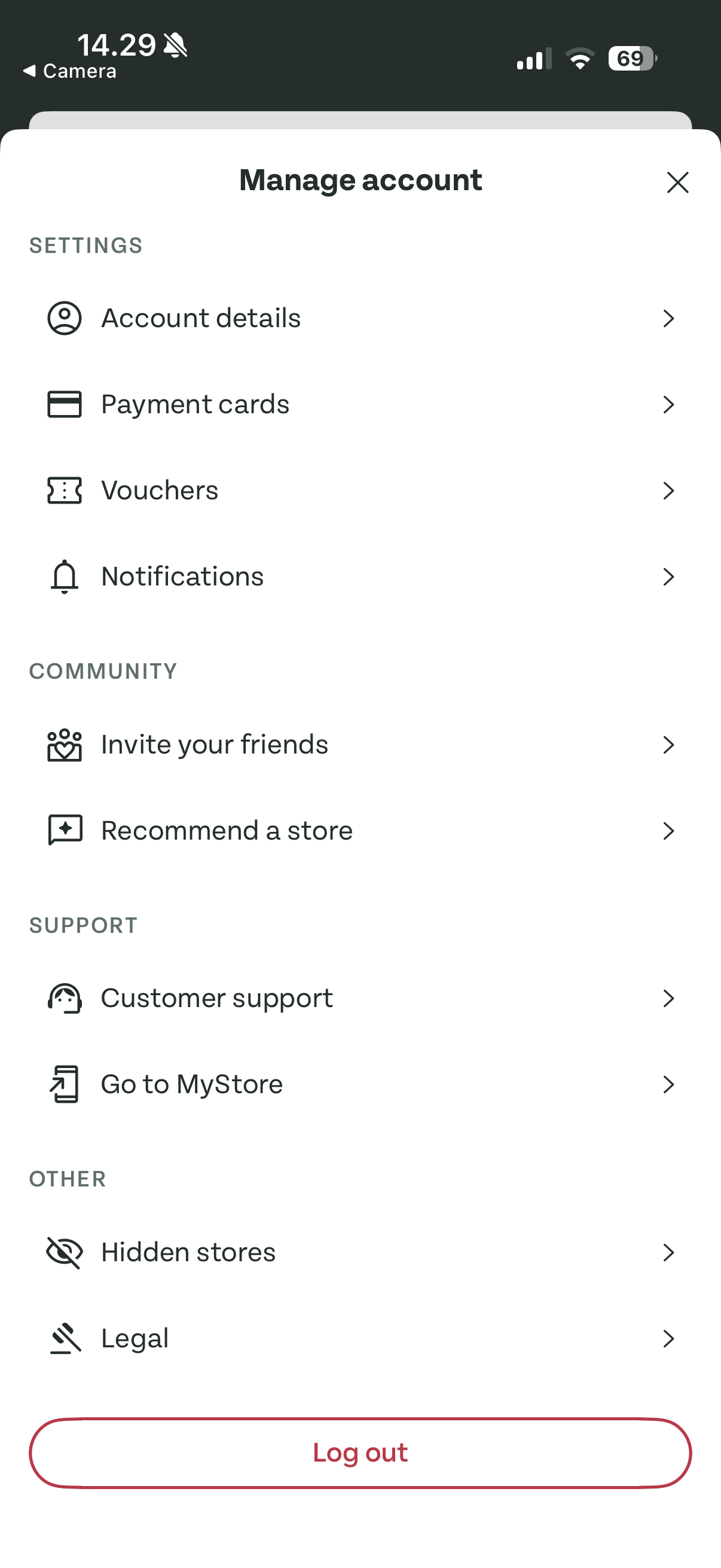
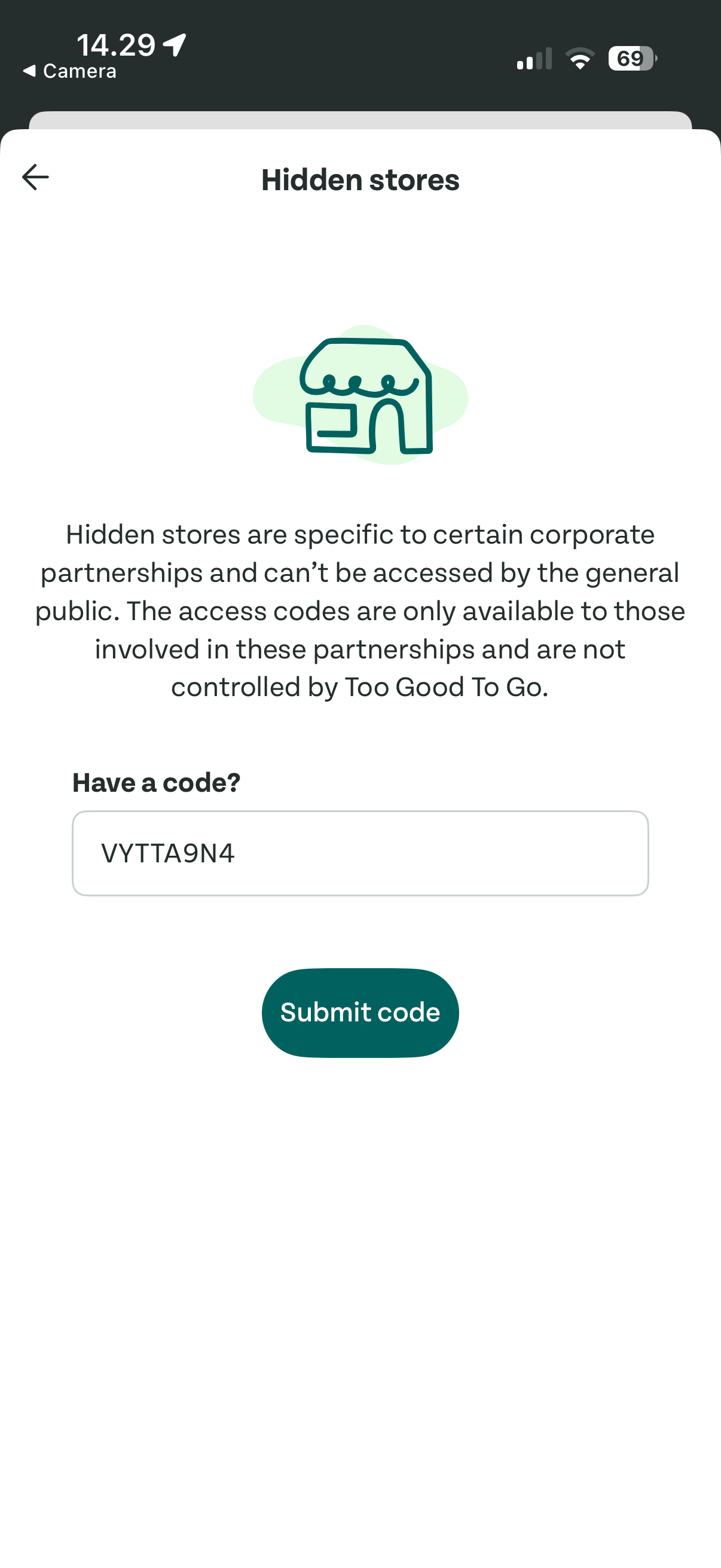
"Hidden Stores" - a name that worked against us
We debated names more than almost anything else and landed on Hidden Stores - accurate, playful, honest: partners hidden from the main feed.
It was too interesting. "Hidden" read as exclusive rather than functional - Reddit threads appeared, and support messages came from regular users with no canteen, curious about codes and "wizardry" that had no relevance to them.
User testing the name before launch would have surfaced this. We shipped on instinct and found out through support volume and community posts.
Designing both sides independently
This was a consumer feature and a partner feature at once: employees needed a frictionless unlock; canteen managers needed setup they could own without support. Keeping the flows separate - partner setup in the web app, consumer unlock in mobile - was right, but the two-sided scope was consistently bigger than it looked. Every decision had two implementation surfaces; what read as a consumer feature with a small partner component was closer to two parallel projects sharing a data model.
Outcome
10 corporate partners signed up in the first three months. The feature has continued to be actively used since - in 2026, years after the original build, I spotted Hidden Stores live in the canteen at my own workplace. That's the most honest signal a feature can give you: it survived budget cycles, platform migrations, and the churn of a fast-growing company.
Are these the secret stores?
They are places not open to the public. Like a restaurant or cafe in a big private business campus could use TGTG but no point in letting everyone have access to see it because only people who are allowed past security can get access to pick up.
We used this when I worked at Microsoft corporate office in a cafe that was only accessible to employees of Microsoft.
Five years after launch, users are still explaining the feature to each other - including a Microsoft employee describing their canteen using it.
Lessons learned
- Test the name before launch. We made a judgment call, wrong in a specific, measurable way - support volume and Reddit told us. One round of testing on a shortlist of names would have cost a week and saved ongoing confusion.
- Two-sided features carry hidden scope. A feature living on both the consumer and partner sides isn't a primary flow with a bolt-on - scope it explicitly as two parallel workstreams from the start.
I've stumbled across on my profile, a section that says Hidden Stores?! Is there a code for this wizardry and is it worth going to great depths looking for it?
My university uses a hidden store so students can access it and not the wider public
What's the code sir!?
Apparently it's for certain corporate partners of TGTG. They allow employees of the corporate partners to have access to certain locations not available to the public